One calendar, one person, one door a day

Make someone an advent calendar they open every day.

Fill each day with photos, voice notes, stickers and words. Send them a code. From the date you pick, one day unwraps every morning until the last one.
Sign up with just a usernameAny dates, 1 to 31 daysSeen only by the two of you
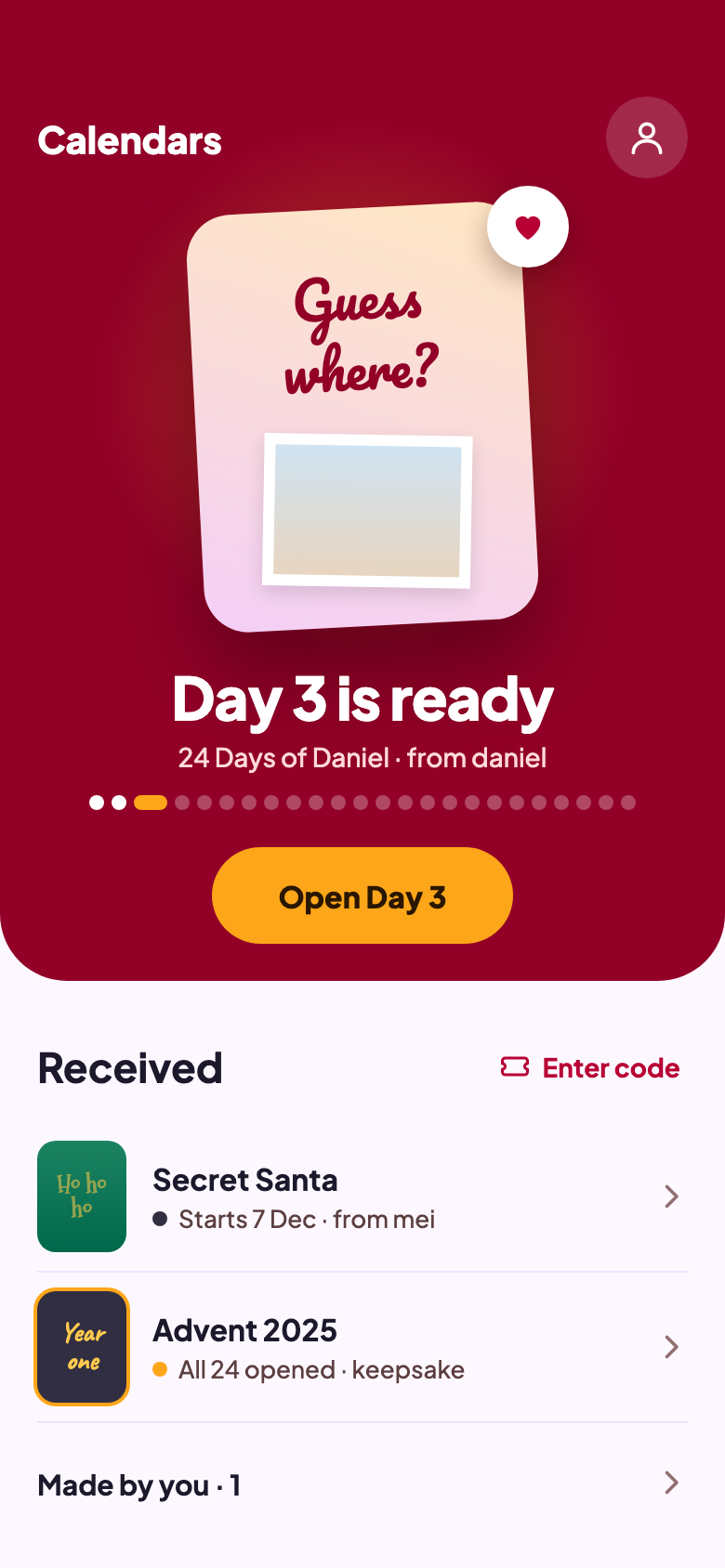
The app showing a calendar from daniel with day 3 ready to open
HOW IT WORKS

Three steps from idea to the first door

1

Decorate a day at a time

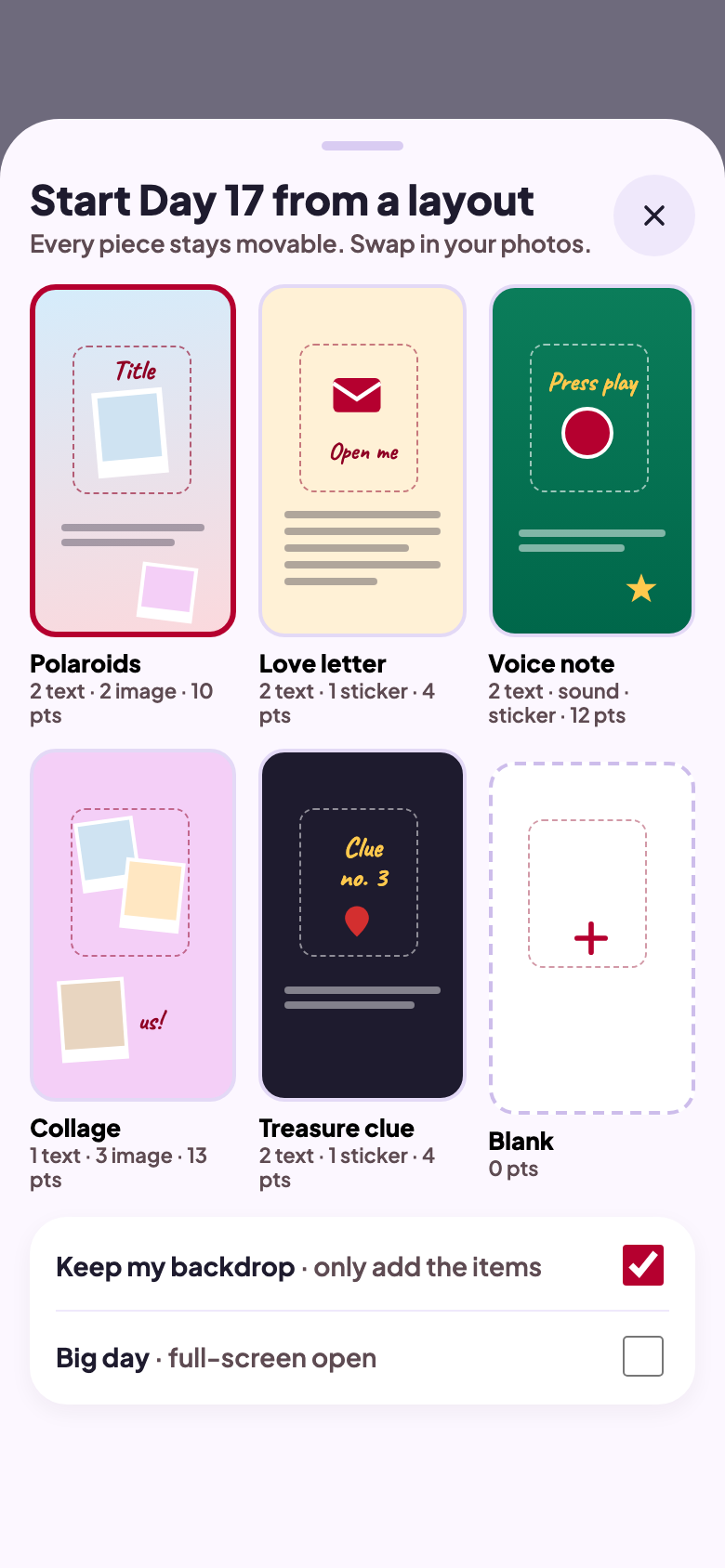
Start from a layout or a blank canvas. Add photos, stickers, text and short voice notes, or hide a surprise under a scratch-off layer.

2

Pick the dates, send a code

Choose how many days and when it starts. You get an 8-letter code to send however you like: a message, an email, a card in the post.

3

They open one door a day

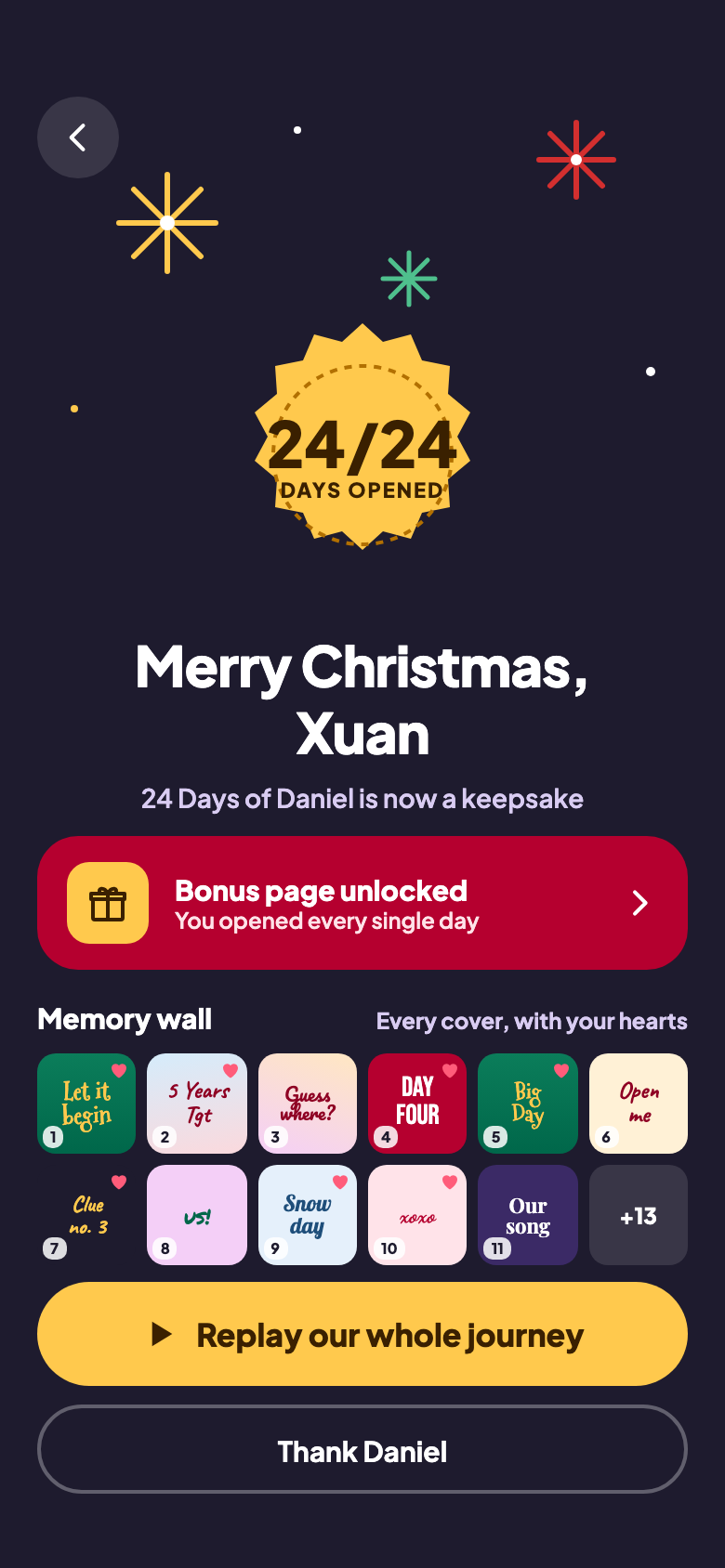
They enter the code in Krimas. Each day unwraps on its date, with an optional morning reminder, and the last one ends on a keepsake of the whole calendar.

INSIDE THE APP

From the first sticker to the last door

Scroll to see more

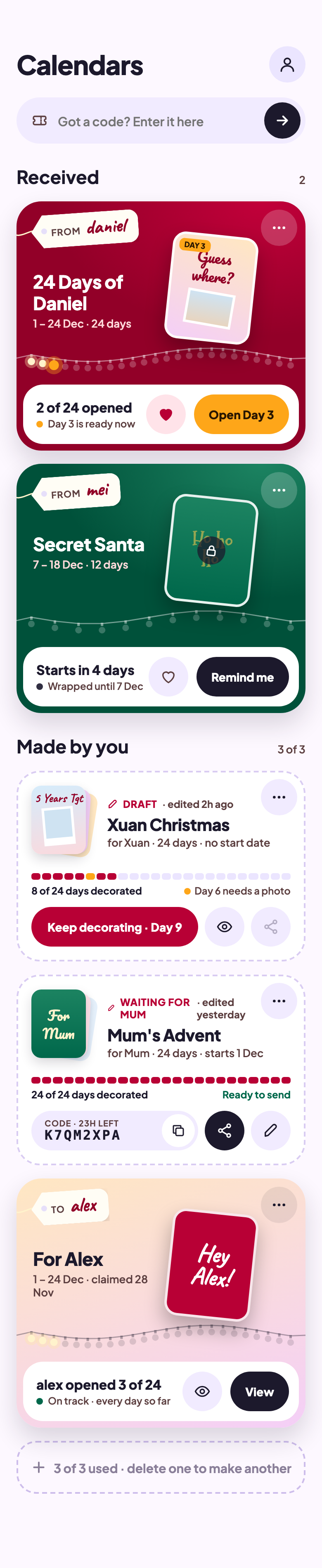
The calendars list, with calendars received and calendars being made
All your calendarsOnes you received and ones you're making, side by side.
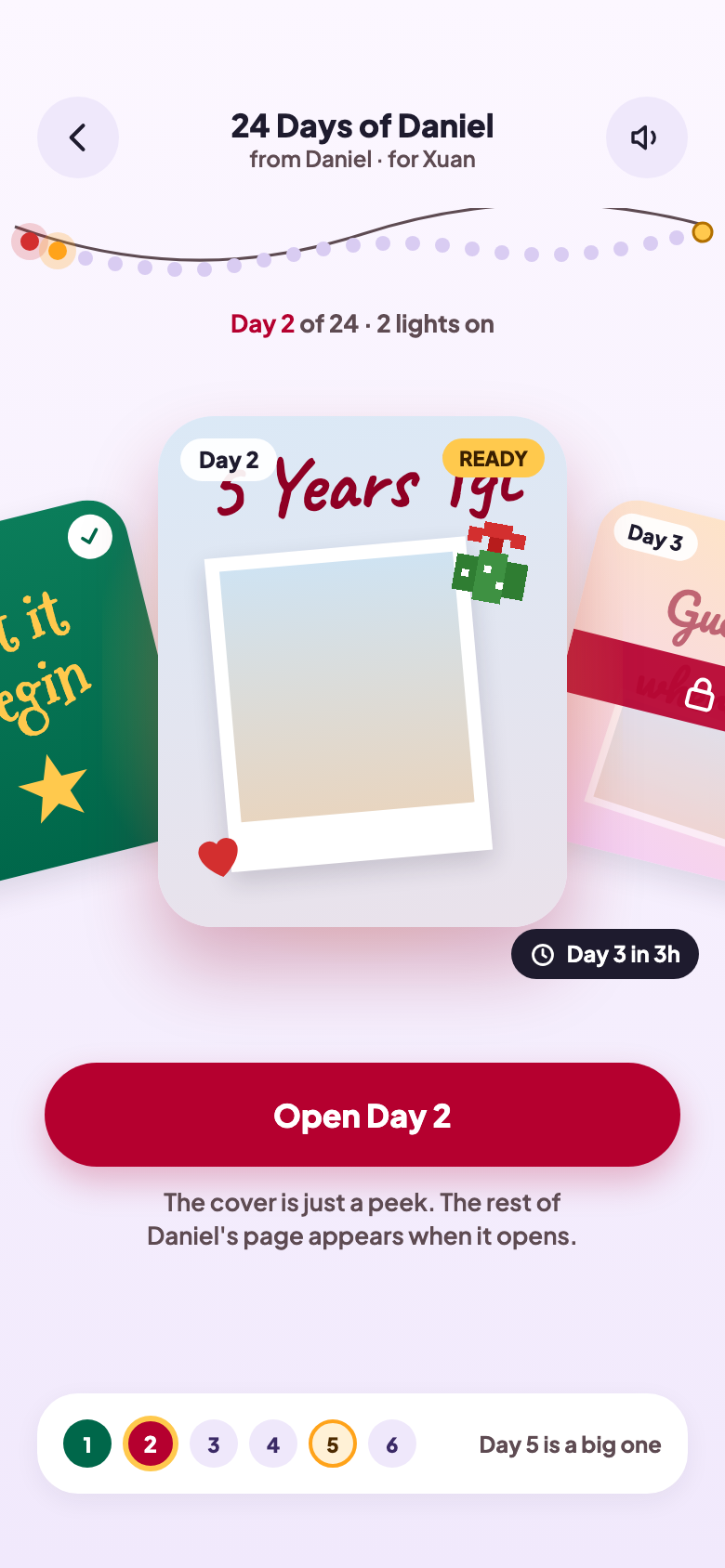
A calendar’s days, opened ones showing their covers and the rest still wrapped
Every day at a glanceOpened days show their covers. The rest stay wrapped.
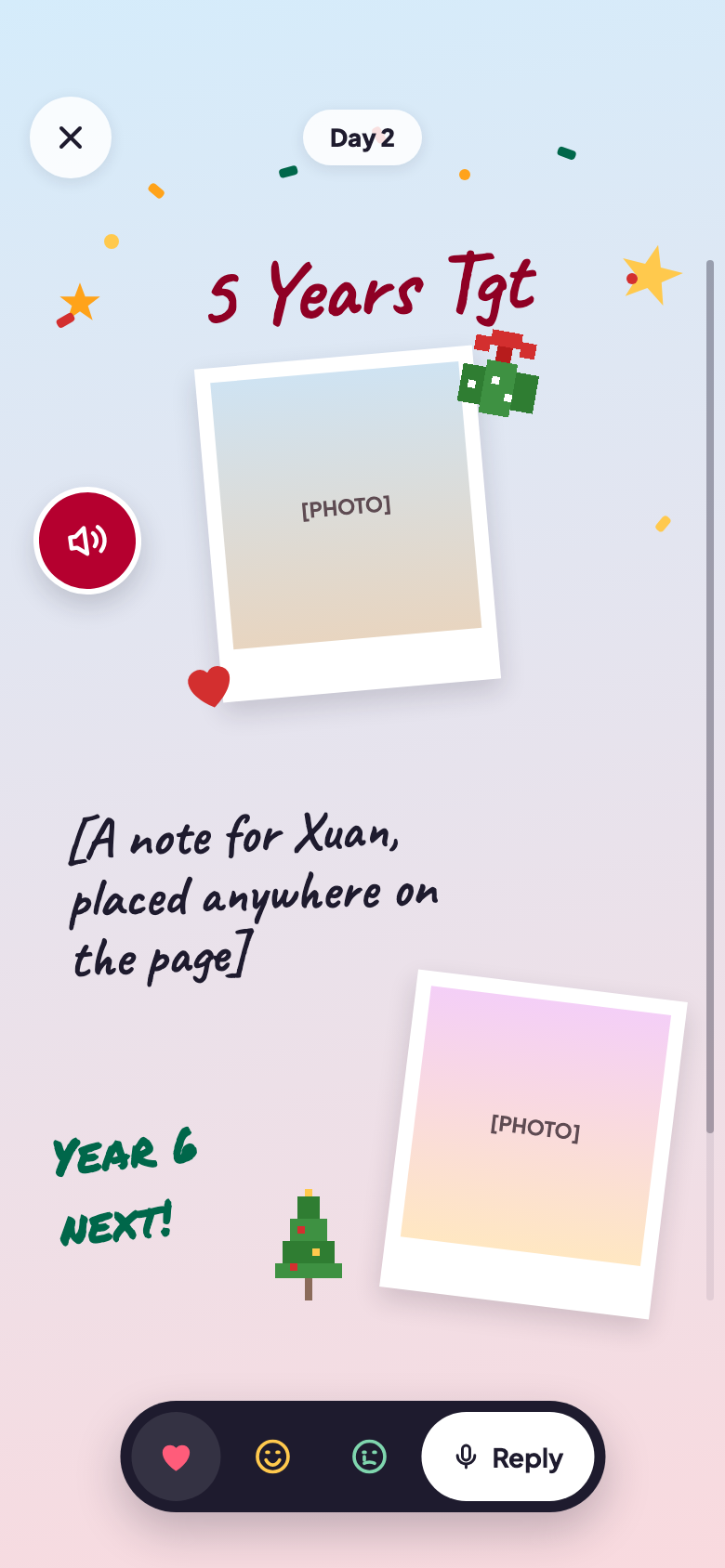
A day opened, showing its photos, words and stickers
Opening a dayPhotos, words and sounds, exactly as they were made.
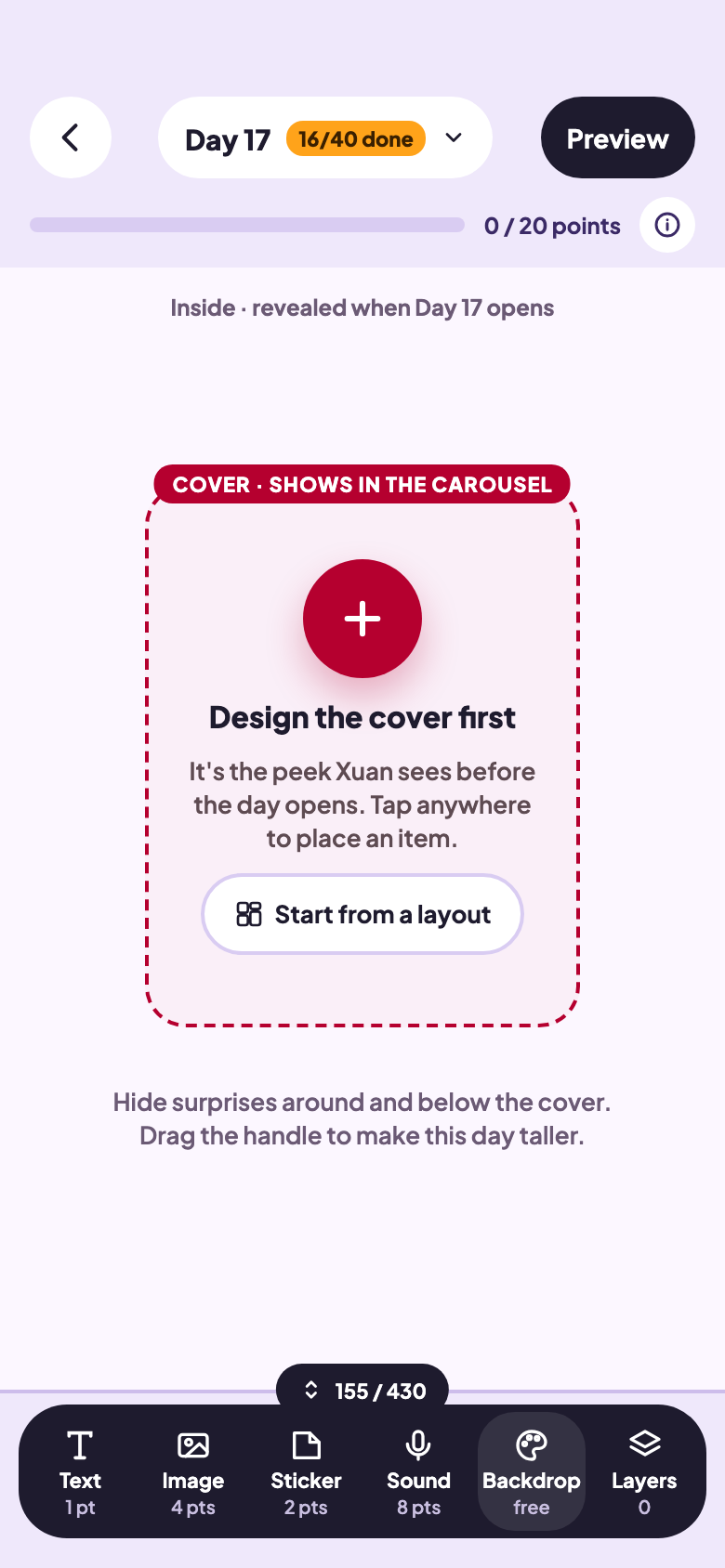
The editor, decorating a day on its canvas
DecoratingDrag things onto the canvas. A guide shows what the cover will crop.
A choice of starter layouts for a day
Starter layoutsShort on ideas? Begin from a layout and make it yours.
The finale shown on the last day, with a keepsake of every day
The last dayA finale and a keepsake of every day they opened.
PRIVATE BY DESIGN

Made for one person, and only they see it

Read the privacy policy
  • No email or phone number to sign up. A username, a display name and a password.
  • Photos and sounds are stored only so the calendar opens on their phone.
  • Delete a calendar, or your whole account, from inside the app whenever you like.
QUESTIONS

Good to know

Something else? Write to caiwangheng@gmail.com or use Help and feedback in the app.

Does the person I make it for need the app?

Yes. They make an account in Krimas, enter your code, and the calendar appears under Received. Each day opens there.

Does it have to be for December?

No. Pick any start date and anything from 1 to 31 days: a birthday countdown, the days before a trip, an anniversary week.

How many calendars can I make?

Up to 3 at a time. Delete one you no longer need to make room for another. There's no limit on how many you can receive.

Can I keep editing after I send the code?

Until they claim it, yes. Once it's claimed the calendar locks, so what they open is exactly what you made.

What if they try to open a day early?

It stays wrapped and tells them how long is left. They can turn on a reminder for when each day is ready.

What happens if I delete a calendar I've sent?

If nobody has claimed it yet, it's gone and the code stops working. If it's been claimed, it leaves your list but they keep every day.

Give someone a reason to wake up tomorrow.

Krimas for iPhone and Android.